Pick the wind
Send the dust left, right, up, down or out in every direction. Choose how much of the picture breaks apart.
ZOBRELLA · CANVA APP
Turn photos, logo images and lettering artwork into a dust dispersion effect. Choose the wind, the look and how much breaks apart.
Preview your effect, then add a transparent image to your Canva design.
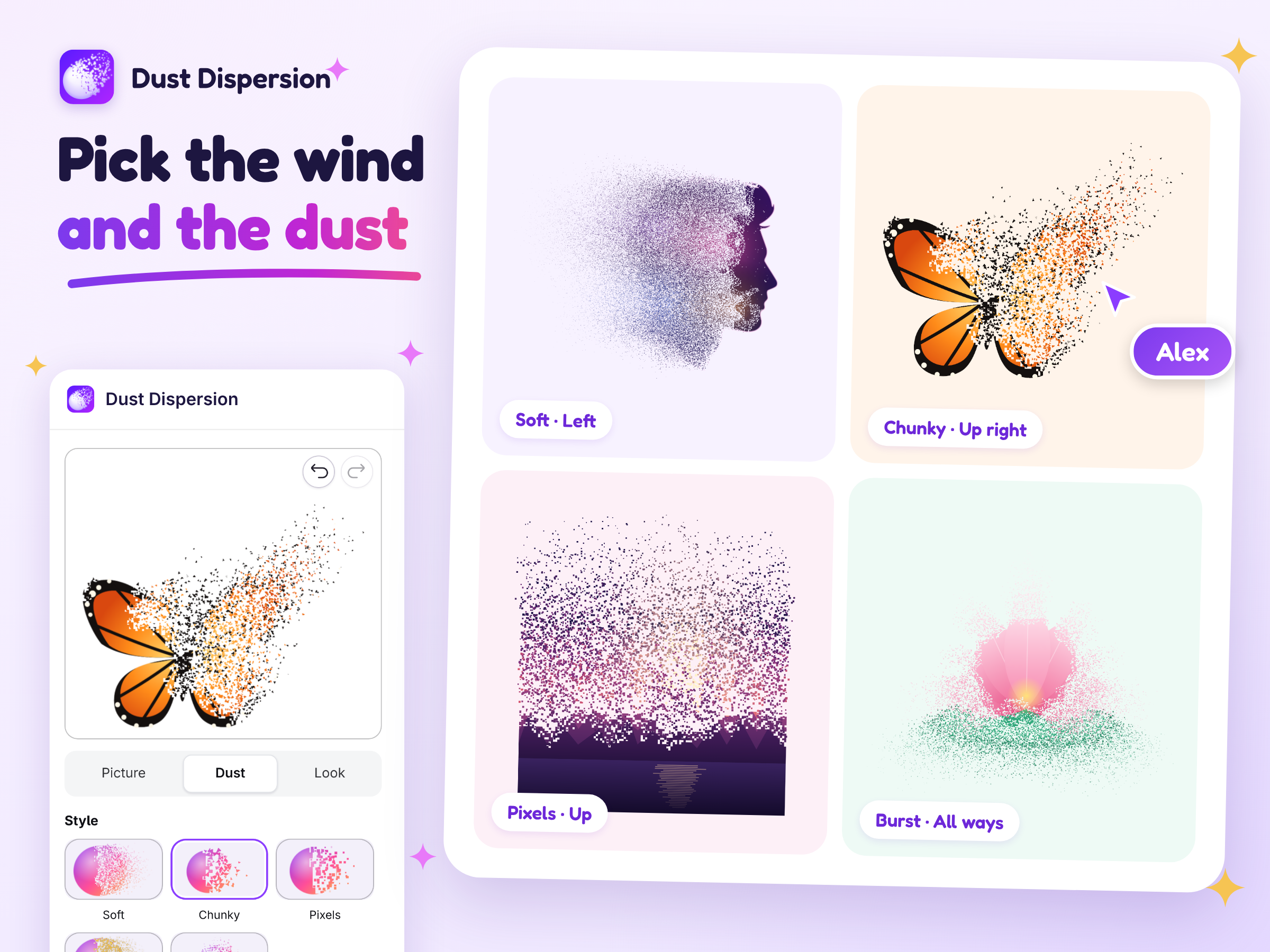
Choose the wind and the look, from a soft trail to a burst in every direction.
Tap the image to see it full sizeA DIFFERENT WAY TO MAKE AN IMPACT
For portraits, logos, lettering and your next design idea.
Send the dust left, right, up, down or out in every direction. Choose how much of the picture breaks apart.
Try Soft, Chunky, Pixels, Sparkle or Burst. Adjust the piece size, shape, color, fade and glow.
Use Undo and Redo as you try different settings. Add the finished effect as one transparent image.
PICTURE → DUST → LOOK
Try one of six samples, upload your own picture, or use a selected image from your Canva page.
Set how much breaks apart and which way it flies. Adjust the size, shape, color and glow.
Check the preview, then select Add to design to place the result as a transparent image.
COMING SOON TO CANVA