Eight frames to explore.
Choose Curved, Wave, Photo card, Phone, Phone leap, TV, Polaroid or Laptop.
ZOBRELLA · CANVA APP
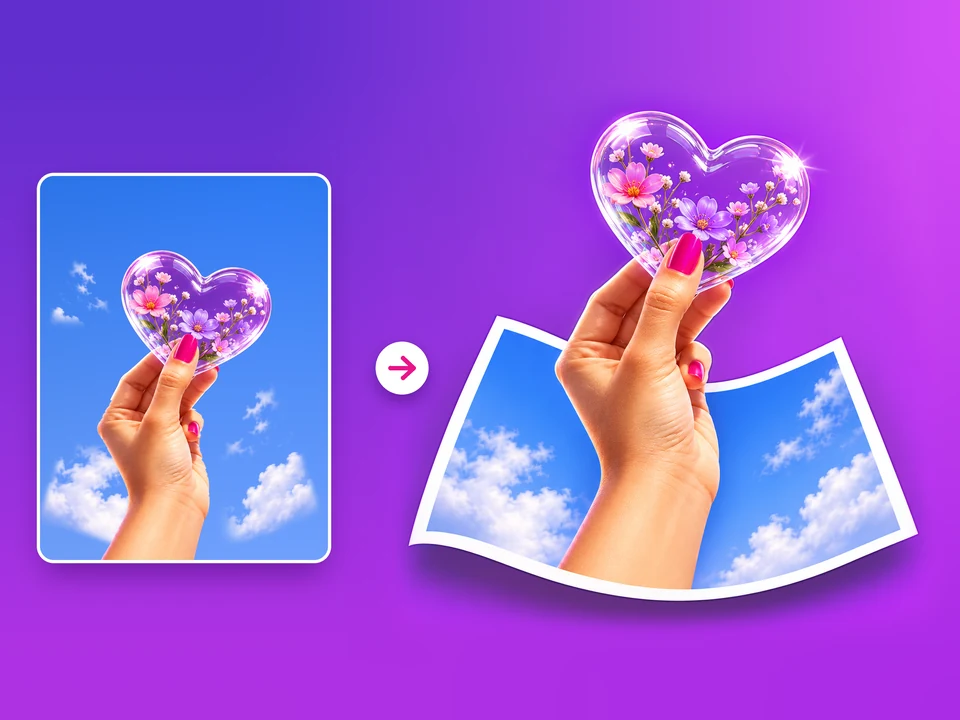
A person, a pet, a picture of your own. Make the subject step out of a 3D frame.
Start with a curved print, try a phone or laptop, and find a look that fits your design.
Coming soon to Canva. The public app link will be added when available.
A PHOTO WITH ANOTHER DIMENSION
One photo. Eight ways to step outside it.
Choose Curved, Wave, Photo card, Phone, Phone leap, TV, Polaroid or Laptop.
Try the sample or bring your own photo. Background removal runs on your device to separate the subject.
Adjust the effect in the live preview. Choose your background colour, then add the finished still image to Canva.
PHOTO → FRAME → DESIGN
Try the sample, upload a photo, or select one photo in your Canva design and choose Use photo on page.
Choose a frame, then open Adjust to change the effect. Pick a background and check the live preview.
Choose Add to design when it looks right. Use Update design to change the result, or Add a new one for another copy.
A FEW QUICK ANSWERS
Pop Out makes a still image of your photo with its main subject appearing outside a 3D frame. It does not create a video, animation or editable 3D model.
Choose Curved, Wave, Photo card, Phone, Phone leap, TV, Polaroid or Laptop. Each look has its own available adjustments.
Pop Out identifies the main subject on your device and makes a foreground cut-out. It uses a bundled AI model rather than sending your photo to an external AI service. Transparent cut-outs can also be used. Fine edges and busy scenes may need a different photo.
Pop Out targets a still image up to 4096 pixels on its longest edge. Device memory and browser encoding limits still apply. A bigger export cannot restore detail missing from a small original photo.
KEEP CREATING